


Buffalo Wild Wings Ordering
4.726.35K Reviews
App Specs
- Version
- 2026.16.13
- Updated On
- License
- Free
- Downloads
- 5,000,000+
- Developer
- Buffalo Wild Wings, Inc.
- Categories
- Food & Drink
- Platform
- Android, iOS
Screenshots

 Analysis by AppCompare
If you've ever craved crispy wings while lounging on your couch, then you know the struggle of finding the perfect way to get your fix without leaving the comfort of home. Enter the Buffalo Wild Wings Ordering app—your new best friend for satisfying those savory wing cravings.
When a craving becomes a group order
I find this app most useful when the choice is already made: I want Buffalo Wild Wings, and I need to arrange takeout or delivery without turning dinner into a phone-call project. It is a free Food & Drink app from Buffalo Wild Wings, Inc., aimed at people who know the restaurant’s menu and want to place an order directly. If you are still deciding between several nearby restaurants, a general delivery service may be more helpful for comparing options in one place.
A realistic use is a game night when a few people are sharing food but want different sauces or portions. I would settle the group’s choices first, then use the app to build the order and select the available handoff: pickup or delivery. That small bit of planning matters. A shared order can become confusing if everyone is sending last-minute changes, so I would have one person collect choices and check the cart before moving on.
The app suits repeat customers especially well. When I already know what I like, ordering directly from the restaurant is more focused than browsing a marketplace filled with unrelated menus. The trade-off is that it is not a general-purpose food finder: if Buffalo Wild Wings is not what the group wants, opening this app will not solve the broader question of what to eat.
The App Experience
From the moment you download the Buffalo Wild Wings Ordering app, it's like stepping into a virtual wing wonderland. The interface is sleek and user-friendly, making it easy to navigate even if you're balancing a plate of nachos in the other hand. The app is available on both Android and iOS, so whether you're team Android or a die-hard Apple fan, your wings are only a few taps away.
Easy Navigation and Ordering
One of the first things I noticed was how intuitive the app is. The menu is laid out cleanly, with categories that make it a breeze to find exactly what you're in the mood for. Whether it's traditional wings, boneless wings, or those legendary Buffalo Wild Wings sauces, everything is just a tap away. You can even customize your order down to the sauce level, ensuring your wings are as spicy (or mild) as you like.
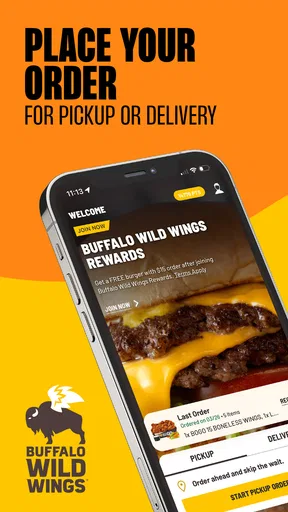
Placing an order is as simple as pie—no, seriously, it's probably easier than ordering a pie. Once you've made your selections, you can choose between pick-up or delivery options. The app even saves your past orders, so if you're a creature of habit, a reorder is just a click away.
Worth Reading Before You Choose

EA SPORTS FC Mobile 26 Is a Bigger Football Game, but It Takes Time

Flipboard Shows What News Apps Must Do Beyond the Feed

Switching to Android Auto Means Rethinking Your Driving Routine

Google Calendar Makes a Crowded Week Easier to Manage

Ludo King Makes the Most of the Minutes Between Plans

Baby Panda World Brings Quick Play to Modern Phones, but Its Game Library Feels Busy
Choosing carefully before checkout
For a first-time order, I would treat the menu as a decision aid rather than rush straight to checkout. Sauce choices can define the whole meal, so it helps to decide whether the group wants one shared flavor or a mix before adding items. If you are ordering for several people, checking each selection against the person who requested it is a useful final step; it prevents the common mix-up where the right food arrives with the wrong sauce preference.
Reordering is convenient when your usual meal is genuinely unchanged, but I would still review the cart instead of assuming a previous order fits today. Plans, appetites, and the number of people eating can vary. A saved order is a shortcut, not a substitute for checking the current choices and pickup or delivery selection.
Special Features and Offers
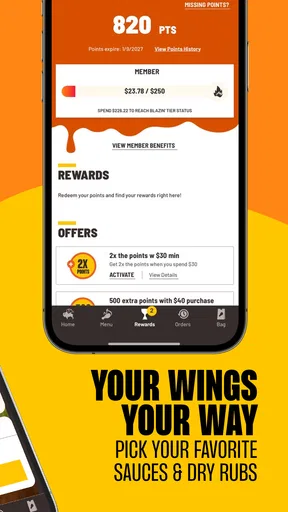
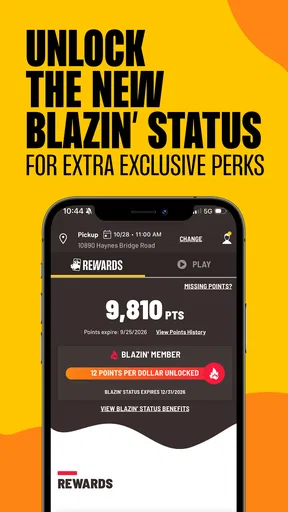
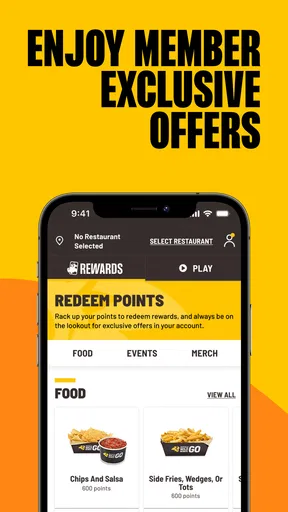
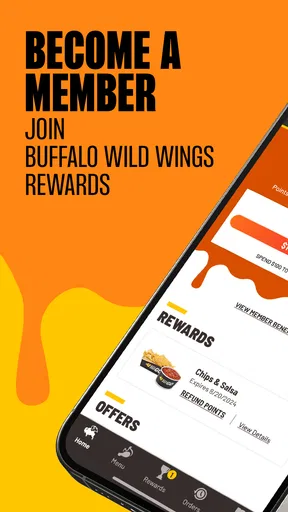
What’s really exciting are the exclusive deals and offers available only through the app. It's like having your own private wing club. The app frequently updates with promotions that can save you a few bucks, which let’s be honest, always feels good. The rewards program is also a nice touch, where you can earn points for every dollar spent, leading to free food—who doesn’t love free wings?
I would look at any offer while deciding what to order, rather than letting a promotion dictate the whole meal. A deal is useful only if it matches what you actually want and the terms work for your order. For someone who orders occasionally, the savings may be a pleasant extra; for someone who rarely visits, it is not a reason by itself to choose this app over another restaurant.
One practical trade-off with ordering ahead is that the digital steps do not remove the real-world handoff. You still need to choose the right location and be ready to collect the food, or be available for delivery. Before placing an order for a group, I would confirm who is handling pickup or who will be there to receive it. That avoids a preventable scramble after everyone has already settled in.
User Experience and Feedback
The app's developers clearly prioritize user experience. Updates roll out regularly, fixing bugs and improving features. Feedback is easily accessible, and the support team is responsive if you run into any hiccups. From my experience, they’re genuinely eager to ensure your wing-eating journey is as smooth as a buttery garlic parmesan sauce.
The app has an average rating of 4.6 from around 208,000 ratings, with over 5 million installs. That broad use makes it a familiar option for many customers, though ratings cannot promise that every order or device experience will be flawless. The current version is 8.6.12, and the minimum operating system is 11. It is rated Everyone, so the age label is not a barrier for a general household audience.
If you are wondering whether you need to use it for every visit, I would say no. It is most appealing when you have a clear order and want to arrange takeout or delivery through the restaurant. If you prefer to decide in person, ask staff questions face to face, or compare multiple restaurants before choosing, those usual alternatives may suit you better. The direct-order workflow is convenient, but it is still one restaurant’s ordering channel rather than a replacement for every way of eating out.
Food Quality and Delivery
Of course, an app is only as good as the food it delivers. Fortunately, Buffalo Wild Wings has a reputation that it upholds with flying colors. The wings arrived hot, fresh, and covered in just the right amount of sauce. Delivery times are generally reasonable, though they can vary based on location and time of day. The app provides updates on your order status, so you’re never left wondering where your wings are in transit.
The useful way to think about order updates is as a guide to the handoff, not a guarantee that every part of the trip is under the app’s control. For delivery, someone still needs to receive the food; for pickup, the person collecting it needs to know which order they are handling. I would keep the ordering device available until the meal is accounted for, especially when timing dinner around a match or a planned get-together.
Wings are also a food where timing matters: they are best enjoyed soon after arrival, rather than treated like a meal that can wait indefinitely on the counter. For a gathering, I would coordinate the order with when people are actually ready to eat. That is a small but meaningful limitation of delivery food generally, and it is worth remembering even when the app makes placing the order straightforward.
Where the flow can fall short
The main friction is not necessarily tapping through the menu; it is making sure the order fits the situation. A last-minute change from one person, an unclear pickup plan, or a delivery handoff nobody is watching can undo the convenience. For a quiet evening with a known favorite, those risks are easy to manage. For a large group still debating its meal, the app cannot make the decision for you.
I would also choose another option if the priority is comparing restaurant menus, coordinating food from different places, or getting help from a person before deciding. This app is built around Buffalo Wild Wings, so its strength is direct access to that particular meal, not broad discovery. Keeping that distinction in mind sets a fair expectation: it streamlines a focused order, but it does not remove every logistical detail around eating together.
Final Thoughts
Overall, the Buffalo Wild Wings Ordering app is a must-have for any wing lover. It's convenient, user-friendly, and offers exclusive deals that make indulging in your favorite wings even more satisfying. Whether you're planning a game night with friends or just a quiet night in, this app ensures that delicious wings are always within reach. So go ahead, download the app, and let the wing feasting begin!
My recommendation is more specific: try it when you already want Buffalo Wild Wings and value a direct route to a takeout or delivery order. Check the menu choices, confirm the handoff, and treat saved orders and offers as conveniences to review rather than things to rely on blindly. If that matches how you eat, the app can make a familiar meal easier to arrange; if you are still choosing a restaurant or need a more hands-on ordering experience, a different route will likely serve you better.
Pros
- User-friendly interface for easy navigation.
- Customizable orders to suit preferences.
- Real-time order tracking available.
- Exclusive app-only deals and rewards.
- Quick payment options integrated.
Cons
- Limited delivery areas in some regions.
- Occasional app crashes reported.
- Menu items may vary by location.
- No option to save favorite orders.
- Push notifications can be frequent.
FAQs for Buffalo Wild Wings Ordering
What features does the Buffalo Wild Wings Ordering app offer?
The Buffalo Wild Wings Ordering app provides a seamless way to order your favorite wings and other menu items for pickup or delivery. It includes features like a user-friendly interface, customizable orders, exclusive deals, and a rewards program where you can earn points for every purchase. Additionally, you can track your order status in real-time.
Is the Buffalo Wild Wings Ordering app available on both Android and iOS?
Yes, the Buffalo Wild Wings Ordering app is available for download on both Android and iOS platforms. You can find it in the Google Play Store for Android devices and the Apple App Store for iOS devices. Ensure your device meets the minimum system requirements for optimal performance.
Are there any exclusive deals or discounts available through the app?
The app frequently offers exclusive deals and discounts that are not available through other ordering methods. Users can access special promotions, limited-time offers, and app-only discounts, making it a great way to save money while enjoying your favorite meals.
Can I customize my orders using the app?
Yes, the Buffalo Wild Wings Ordering app allows you to fully customize your orders according to your preferences. Whether you want to adjust the spiciness of your wings, choose different sauces, or add extra sides, the app provides a variety of options to tailor your meal to your liking.
How does the rewards program work in the app?
The app includes a rewards program where you can earn points for every purchase made through the app. These points can be redeemed for free menu items or discounts on future orders. You can easily keep track of your points and rewards status directly within the app, encouraging frequent visits and orders.


